See InDesign (.indd) pages in Windows File Explorer
Menus, brochures and books all look the same as .indd icons. Here's how to see the page itself in File Explorer, without opening InDesign.
Why InDesign files show a plain icon
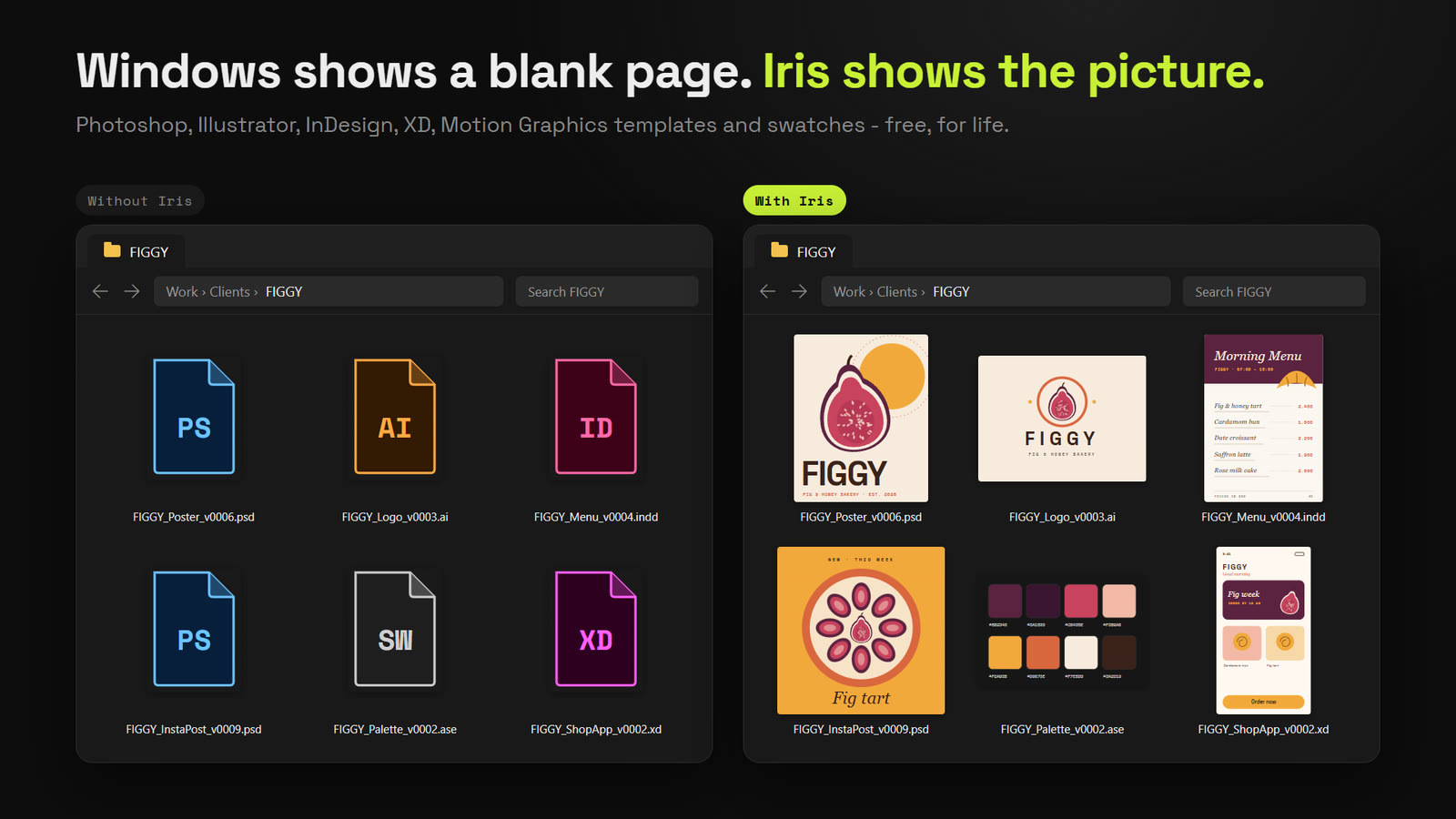
Windows has no thumbnail handler for InDesign documents, and InDesign doesn't add one. So File Explorer shows the same icon for every .indd and .indt file.
The fix: a free InDesign thumbnail handler
- 01Get Iris Preview from the Microsoft Store
It's free and installs like any Store app - no admin rights, no account. Windows 10 (version 2004 or later) and Windows 11.
- 02Open it once and press Start
There is no trial and no key: every feature is free for everyone, for ever.
- 03Open a folder and pick Large icons
View > Large icons (or Ctrl + mouse wheel). The pictures are already there; older files fill in by themselves.
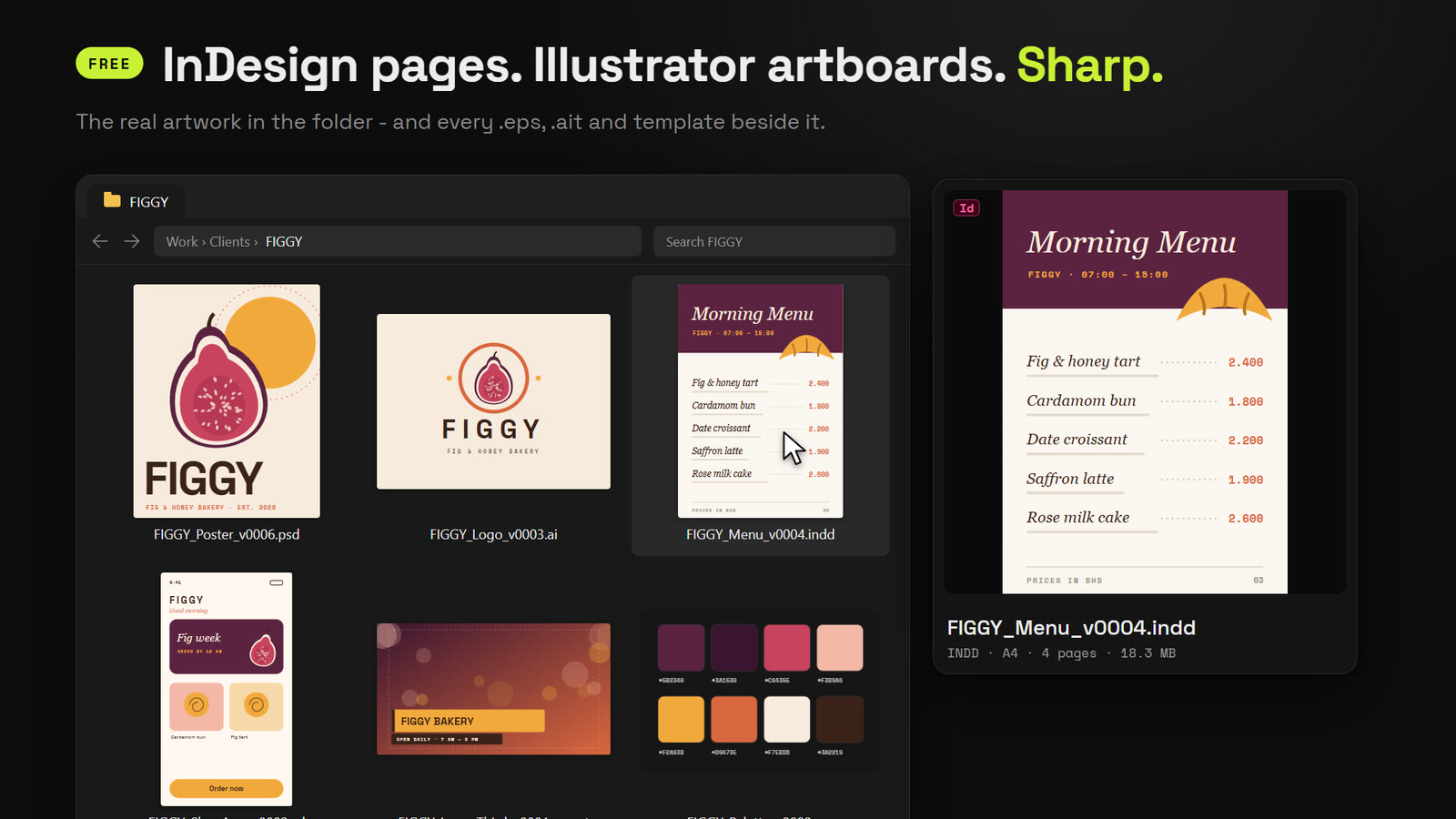
Select a document and press Alt+P to see the page with its page size and fonts, or rest the mouse on it for a big look.
Still seeing icons? Check these
- A document stays blank or looks soft
InDesign keeps a picture of the page inside each .indd - that's what previewers show. Turn on Edit > Preferences > File Handling > Always Save Preview Images with Documents, set Preview Size to Extra Large, then save the document again.
- Always show icons, never thumbnails is ticked
In File Explorer press ... (See more) > Options - on Windows 10: View > Options - then untick it on the View tab and press OK.
- The folder is in Details or List view
Those views only show small icons. Switch to Medium, Large or Extra large icons.
- Windows kept old blank thumbnails
Run Disk Cleanup, tick Thumbnails and press OK - Windows draws them again the next time you open the folder.
Templates and other Adobe files
InDesign templates (.indt) work the same way, and the same install shows Photoshop, Illustrator, XD, Motion Graphics templates and swatch files.
Questions
Do I need InDesign installed?
No. Iris reads the files itself.
Is it really free?
Yes. Every feature is free for everyone - Photoshop, Illustrator, InDesign, XD, templates, swatches, After Effects and Premiere. No key, no account, no time limit.
Will it slow File Explorer down?
No. Windows keeps each thumbnail once it's made, and the Iris helper sits idle almost all the time at about 50 MB. Switch Iris off any time from its icon next to the clock.
Does Iris upload my files?
No. Everything is read on your PC and the files are never changed. The only time Iris goes online is to check a licence key bought before Iris became free, if you have one.